Imagine bringing the magic of a movie theater right into your living room. Big screens, vivid colors, and incredible details can make your favorite films feel brand new. But when it comes to choosing the right projector for your home theater, you might find yourself stuck between two popular options: a 4K projector or a 1080p projector. It’s a common dilemma, and both choices have their own benefits.
4K projectors are known for their ultra-sharp picture quality, while 1080p projectors have been the trusted standard for years, offering great visuals at a more affordable price. So, which one is really worth the investment? Should you go for the high detail of 4K, or stick with the tried-and-true 1080p?
In this article, we'll break down the differences between these two types of projectors, helping you decide which one makes more sense for your setup. We’ll look at picture quality, cost, content availability, and other key features that can help you make the best decision for your home theater. Whether you’re a movie buff wanting that cinematic experience or just looking to enjoy a bigger screen, this guide will give you the information you need to make the right choice.
Understanding the Basics: 4K Projector vs 1080p Projector
If you’re new to the world of projectors, the terms 4K and 1080p might sound confusing. Let’s make it easy to understand what these actually mean and why they matter for your home theater.
What is a 4K Projector?
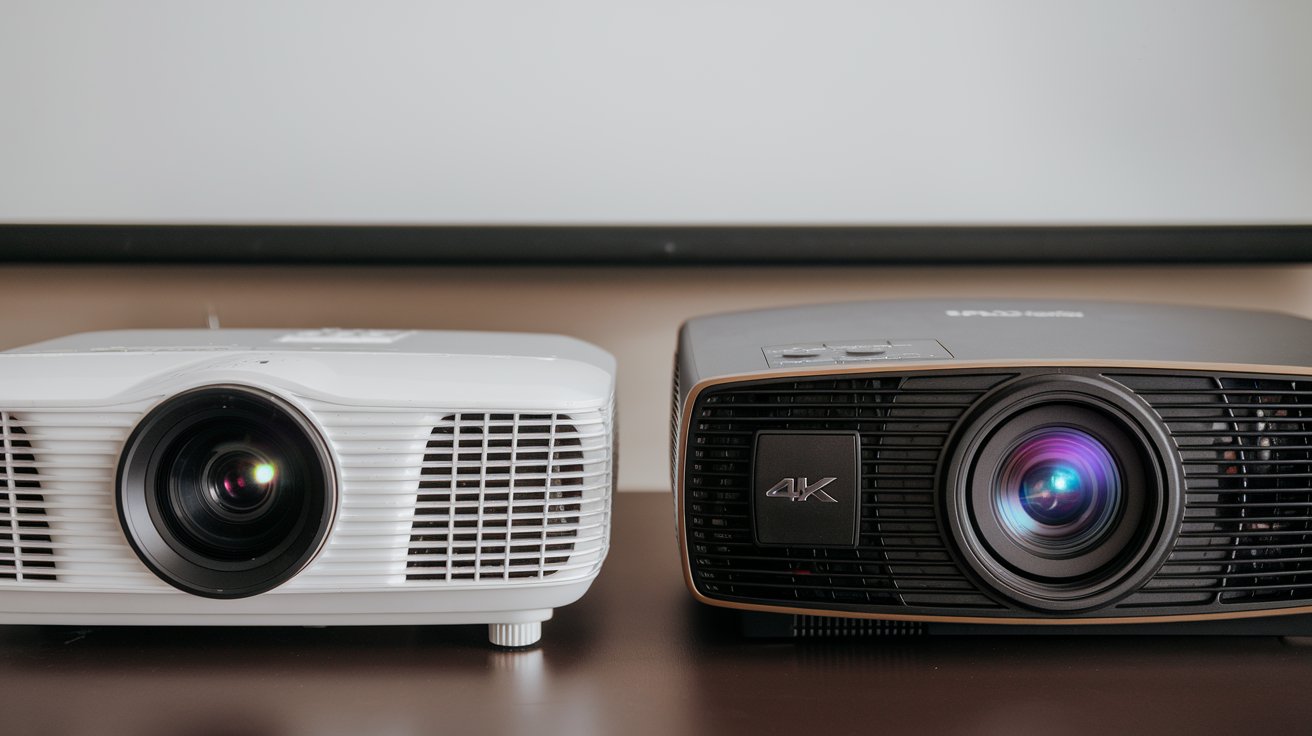
A 4K projector delivers an incredibly sharp and detailed image because of its high resolution—3840 x 2160 pixels. This means there are over eight million pixels working together to create a bright and clear picture. Think of each pixel as a tiny dot that makes up the larger image. The more dots you have, the sharper and more lifelike the picture looks. This is especially noticeable when watching on a large screen, where even the smallest details stand out, making your movie experience feel more like a real cinema.
One of the standout features of a 4K projector is its ability to provide HDR (High Dynamic Range). HDR adds richer colors, deeper blacks, and a greater contrast between bright and dark areas, giving the picture more depth. This means bright scenes are vibrant, and darker scenes don’t lose any detail.
What is a 1080p Projector?
A 1080p projector is also known as a Full HD projector, with a resolution of 1920 x 1080 pixels. This is about two million pixels in total—significantly fewer than a 4K projector. But that doesn’t mean it’s not good. For years, 1080p projectors have been the standard choice for home theaters because they offer a clear, high-quality image that looks fantastic on screens of average sizes.
The difference is that with fewer pixels, the overall sharpness isn’t as fine as 4K, but it still delivers a great viewing experience, especially if you have a smaller screen or sit further away from the display. 1080p projectors are also more affordable, making them a popular choice for people wanting a bigger screen without the higher cost of 4K.
The Main Differences: 4K vs 1080p
To put it simply, the key difference between 4K projectors and 1080p projectors is resolution. With four times the number of pixels, a 4K projector can show more details and textures. Imagine watching a nature documentary—on a 4K projector, you might see every leaf on a tree or the tiny feathers on a bird, whereas a 1080p projector would still look good but might not capture every tiny detail as clearly.
Another difference is how each handles color and light. 4K projectors often come with advanced technologies like HDR, which makes colors more vivid and scenes more dynamic. On the other hand, 1080p projectors don’t usually have the same range of color enhancements, but they still produce a bright, attractive image that’s perfect for most uses.
When Resolution Matters Most
Resolution becomes really important if you plan to project onto a very large screen. The bigger your screen, the more noticeable the pixels become. With a 1080p projector, you might start to see individual pixels if your screen is very large or if you sit close to it. A 4K projector, however, will provide a much smoother picture even on large screens, thanks to its higher pixel count.
For smaller rooms or smaller screens, the difference may not be as obvious. This is why it’s important to consider not just the projector, but also the space you have and how you’ll use it.
Choosing Based on Your Needs
If you want the absolute best picture quality, especially if you have a large wall or projector screen and love noticing every detail, a 4K projector is definitely the way to go. On the other hand, if you’re happy with a great-quality picture that doesn’t necessarily have the extreme sharpness of 4K, and you’re looking to save some money, a 1080p projector can still be an excellent choice.
In the end, understanding the difference between 4K and 1080p projectors comes down to one main idea: 4K offers more detail and a richer viewing experience, especially on large screens, while 1080p offers great quality at a more affordable price point.
Picture Quality: Does 4K Really Make a Difference?
So, does 4K really make a difference in picture quality? The short answer is yes—but let’s break down why that is, and why it matters for your home theater experience.
Clarity and Detail: The Power of More Pixels
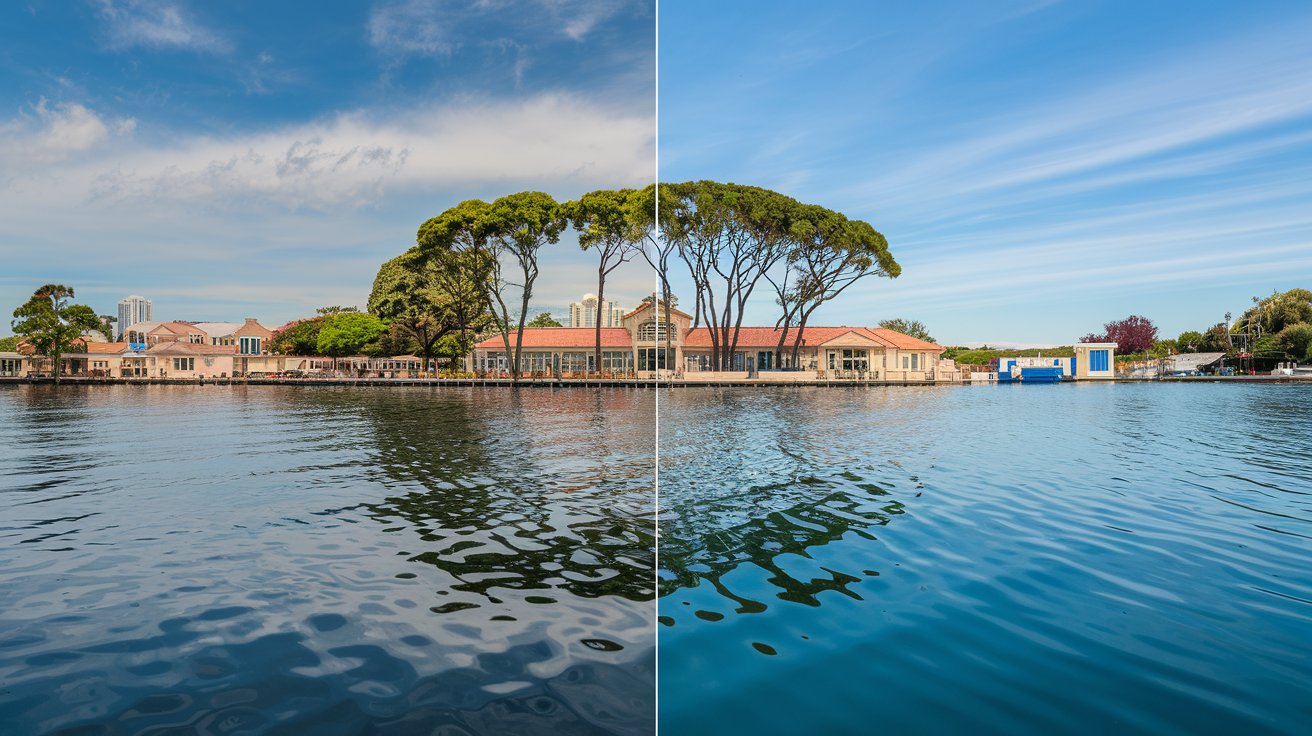
The biggest difference between a 4K projector and a 1080p projector lies in how clear and detailed the image looks. A 4K projector has over eight million pixels, while a 1080p projector has around two million. More pixels mean more detail. When you're watching something on a 4K projector, you can see tiny details that might not be as visible on a 1080p.
Imagine watching a nature documentary. On a 4K projector, you’ll notice every little detail—the individual leaves on a tree, the fine texture of an animal’s fur, or even the ripples in the water. Everything looks more lifelike. With 1080p, you still get a good image, but the finer details may blend together, especially on a larger screen. This difference in clarity becomes even more obvious if you’re projecting onto a big wall or sitting close to the screen.
Sharpness and Screen Size
The sharpness of the picture also depends a lot on the size of your screen. On a smaller screen, the difference between 4Kand 1080p might not be as noticeable. However, as the screen gets bigger, those extra pixels in 4K start to shine. The image stays crisp, and you won't see the individual dots (or pixels) that make up the picture.
If you have a large screen or plan to sit close to your projector, 4K is definitely the better choice because it keeps everything looking smooth and sharp. With a 1080p projector, you might start to notice the image becoming less defined as the size increases. The larger you go, the harder it becomes for 1080p to keep up with the detail that 4K offers.
Color and Contrast: The Impact of HDR
Another major advantage of 4K projectors is that many of them support HDR (High Dynamic Range). HDR brings out richer colors and deeper contrast. This means that the bright parts of the picture are even brighter, while the dark areas have more depth. Imagine watching a sunset scene: with HDR, the colors of the sky will pop, the orange and purple tones will be more vivid, and the shadows will have more detail. It makes everything feel more dynamic and realistic.
On the other hand, most 1080p projectors don’t have HDR, so while the colors are still good, they don’t have the same level of richness or contrast. This difference is especially important if you watch a lot of visually striking content, like nature shows, action movies, or video games.
Immersive Experience: How 4K Changes the Game
A 4K projector creates a more immersive experience overall. When you watch a movie or play a video game in 4K, it feels more like you’re part of the action. The high resolution draws you in, and you’ll find yourself noticing things you wouldn’t normally catch with 1080p. It’s not just about sharper images—it’s about seeing the small touches that make a movie or game feel real, like the texture on a character’s clothing or the intricate designs in the background.
If you’re someone who loves the experience of being fully absorbed in what you’re watching, 4K makes a noticeable difference. The extra detail enhances everything from landscapes to facial expressions, making everything seem closer to real life.
When 1080p is Still Good Enough
Of course, 1080p isn’t a bad choice, and for many people, it’s more than enough. If you’re watching on a smaller screen or don’t mind sitting farther away, 1080p can still look excellent. It’s perfect for general TV watching, family movie nights, or even casual gaming. The picture is clear, and it’s a big step up from older, lower resolutions.
The real question is whether the extra sharpness and color quality of 4K matter to you. If you’re looking for the best possible picture quality and want the most immersive experience, 4K is absolutely worth it. But if you’re just looking for a good-quality image that still gives you a great experience, 1080p is a solid and more affordable option.
What Makes 4K Worth It?
To sum it up: 4K projectors provide superior detail, sharper images on bigger screens, and richer colors thanks to HDR. They bring out the best in your favorite movies, games, and shows, especially when you want that true cinematic feel. On the other hand, 1080p projectors still offer excellent picture quality for most casual uses, and at a lower cost, they’re ideal for those who don’t need the very highest resolution.
Whether 4K is worth it comes down to what kind of viewing experience you want. If you’re after the ultimate detail, bright and dynamic visuals, and you plan to project on a large screen, 4K is the clear winner. But if you’re happy with a good, solid picture and you want to save some money, 1080p can still deliver a fantastic experience.
Cost Considerations: Is 4K Worth the Extra Money?
When it comes to setting up your home theater, one of the most important questions to ask is: is a 4K projector really worth the extra cost? After all, there’s a noticeable price difference between 4K projectors and 1080p projectors, and you want to make sure you're making the best choice for your budget. Let’s look at what you get for your money with both options and whether investing in 4K is the right move for you.
The Price Gap: 4K vs. 1080p
1080p projectors are usually more affordable. They have been around for a longer time, which means the technology is well established, and the prices have come down a lot. You can find many high-quality 1080p projectors for a reasonable price, making them a great option if you want a big screen without a big investment. They are perfect for people who want to enjoy movies, shows, or games without spending a lot of money.
On the other hand, 4K projectors tend to cost more, and there’s a good reason for that. They offer significantly better resolution, improved detail, and often come with extra features like HDR support, which makes colors pop and the contrast more dramatic. However, this kind of quality does come at a higher price. If you’re thinking about upgrading to 4K, you need to consider whether these improvements are important to you and your viewing habits.
What Are You Paying For with 4K?
So why does a 4K projector cost more? One of the biggest reasons is the higher resolution. A 4K projector has four times the number of pixels as a 1080p projector, which means it needs more advanced technology to deliver all that detail smoothly. This also makes them more expensive to produce.
Another factor is the extra features that many 4K projectors come with. For example, HDR (High Dynamic Range)makes colors richer and gives more depth to the image. Many 4K projectors also have better brightness and contrast, which enhances the overall picture quality, especially in well-lit rooms or on larger screens. All these extras make a 4K projector more of a premium product, which is reflected in the price.
Long-Term Value: Future-Proofing Your Home Theater
One thing to think about is the long-term value of your purchase. 4K projectors are more expensive, but they’re also more future-proof. This means that as more and more content becomes available in 4K—from streaming services like Netflix and Disney+ to gaming consoles like the PS5 and Xbox Series X—you'll already be set up to enjoy it in the best quality.
If you’re building a home theater that you want to enjoy for years to come, spending extra on a 4K projector might make sense. It ensures that you won’t need to upgrade as soon as 4K becomes the new standard for all content. In a way, paying more upfront can save you from needing to spend again in the near future.
Budget-Friendly Alternatives: When 1080p Makes Sense
Of course, not everyone needs the absolute latest and greatest technology, and that’s where 1080p projectors shine. If you’re more focused on getting a good-quality picture without spending a lot, a 1080p projector is an excellent choice. The picture will still be sharp, clear, and perfectly enjoyable—especially if you’re projecting onto a smaller screen or watching from a typical distance.
1080p is also great if you mostly watch older shows or DVDs that don’t come in 4K quality. You won’t see a big difference between 4K and 1080p if the source content is only in 1080p to begin with. Plus, with the lower price, you can spend your money on other parts of your home theater setup, like better speakers or a comfortable seating arrangement.
Cost vs. Experience: Making the Right Choice
When deciding whether a 4K projector is worth the extra cost, it’s really about what kind of experience you’re looking for:
If you want the ultimate viewing experience, with every detail as crisp as possible and the most lifelike colors, and if you’re planning to project on a larger screen, then the extra cost for a 4K projector is likely worth it. You’ll get a more immersive experience that feels closer to being in a real cinema.
If you’re more budget-conscious and just want a good, large-screen display for casual watching, then a 1080p projector is the way to go. It’s more affordable, and you’ll still get a fantastic picture that’s miles ahead of traditional TVs. For many people, this level of quality is more than enough, especially when the savings can be used for other upgrades in your home.
Balancing Price with Features
It’s also worth noting that 4K projectors have started to come down in price as technology improves. While they are still more expensive than 1080p projectors, there are now budget-friendly 4K options that bring the cost within reach for more people. If you’ve been holding off due to the price, it might be worth checking out some of these newer, more affordable models that offer a great balance of features without the hefty price tag.
4.7 Final Thoughts: Is 4K Worth It for You?
In the end, whether 4K is worth the extra money depends on what matters most to you. If you value having the best resolution, the richest colors, and the most detailed image—and if you’re excited about being ready for the future of streaming and gaming—then a 4K projector is a great investment. On the other hand, if you’re looking for great quality at a more affordable price and don’t need all the bells and whistles, a 1080p projector can still provide a wonderful experience for your home theater.
It’s all about finding the right balance between what you want and what you’re willing to spend. Both 4K and 1080p projectors can create a fantastic movie night at home, so pick the one that fits your budget and gives you the experience you’re after.
Content Availability: What Can You Watch?
When deciding between a 4K projector and a 1080p projector, it’s not just about picture quality or cost—you also need to think about what you can actually watch on these projectors. The type of content available in 4K versus 1080p can make a big difference in how much you get out of your home theater setup. Let’s explore what’s out there for each type of projector.
The Rise of 4K Content
4K content has become a lot more common in recent years. Streaming services like Netflix, Disney+, and Amazon Prime Video offer a growing selection of movies and shows in 4K. This means you can enjoy everything from blockbuster films to nature documentaries with incredible detail. If you have a 4K projector, you’ll notice how the higher resolution makes the experience feel more like a real movie theater, with sharper images and more vivid colors.
YouTube also has a lot of content available in 4K. Whether it’s travel vlogs, music videos, or educational videos, you’ll find plenty of options to stream in 4K, and it looks fantastic on a large screen. Gaming is another area where 4K shines—if you have a PS5 or an Xbox Series X, you can take full advantage of their 4K capabilities for a truly immersive gaming experience.
However, there is something to consider: streaming 4K content requires a fast and stable internet connection. To stream in 4K, you typically need a speed of around 25 Mbps or more. If your internet connection isn’t strong enough, the quality may drop, or you could experience buffering. It’s important to make sure your setup can handle the extra demand if you want to enjoy 4K to its fullest potential.
What About 1080p Content?
1080p content is still widely available and will likely continue to be for a long time. Most TV shows, older movies, and a lot of online videos are produced in 1080p. Streaming services also offer a lot of their content in Full HD, which means if you have a 1080p projector, you’ll still have plenty to watch.
Blu-ray discs are also commonly 1080p, and they can look fantastic on a 1080p projector. If you have a large collection of Blu-rays or DVDs, a 1080p projector is a great option because it matches the resolution perfectly, giving you a clear and sharp picture. Plus, 1080p requires much less bandwidth compared to 4K, meaning you won’t need the fastest internet connection to stream your favorite shows and movies.
New Releases and Streaming Platforms
Most new blockbuster movies and popular shows are now being produced in 4K, and many streaming platforms are making 4K their standard for premium content. For example, when you subscribe to a premium plan on Netflix or Amazon Prime Video, you get access to a large library of 4K movies and TV shows. This means that if you love watching the latest releases and want them in the best quality possible, a 4K projector will give you access to that.
On the other hand, if you’re more into classic films, older TV shows, or just regular streaming content that doesn’t require the highest resolution, a 1080p projector is more than enough. It will still look great, and you won’t feel like you’re missing out on the quality for most of the content available today.
Gaming and Sports: The 4K Edge
Gaming is another area where 4K can make a big difference. Many of the latest video games are designed to be played in 4K, and when you pair a 4K projector with a compatible console like the PS5 or Xbox Series X, you get amazing visuals. The colors are more vibrant, the textures are sharper, and overall, it feels much more immersive.
If you’re into watching live sports, 4K also has a lot to offer. Some sports channels are now broadcasting major events in 4K, and the difference is easy to notice—especially on a large screen. You’ll see the details of the field, the players, and the action in a way that 1080p just can’t match.
That said, many games and sports broadcasts are still in 1080p, and they look great too. If you’re not a hardcore gamer or aren’t specifically looking for the highest resolution, 1080p will still give you an enjoyable viewing experience.
Future of Content Availability
One thing to keep in mind is that 4K is quickly becoming the new standard. As technology improves, more and more content is being produced in 4K, and streaming services are expanding their 4K libraries. If you want to be prepared for what’s coming, investing in a 4K projector could be a smart choice that keeps your home theater setup relevant for years to come.
However, 1080p content isn’t going away anytime soon. There is still a massive library of shows, movies, and other content in 1080p, and many people are perfectly happy watching in Full HD. If you’re not as concerned about having the latest resolution, a 1080p projector will give you plenty of content to enjoy without the added cost.
Making the Right Choice for Your Content Needs
When it comes to content availability, choosing between a 4K and a 1080p projector really depends on what you want to watch. If you’re someone who loves the latest movies in the best quality, enjoys gaming, or wants to be ready for future content, then a 4K projector is the way to go. You’ll get access to more and more 4K content as it becomes available, and you’ll be able to experience everything in stunning detail.
If you’re happy watching 1080p content—whether it’s older movies, TV shows, or Blu-rays—a 1080p projector is still a fantastic choice. It offers excellent quality for most of the content that’s out there today, and you won’t need a high-speed internet connection or extra costs to enjoy it.
Space Requirements: Screen Size and Room Considerations
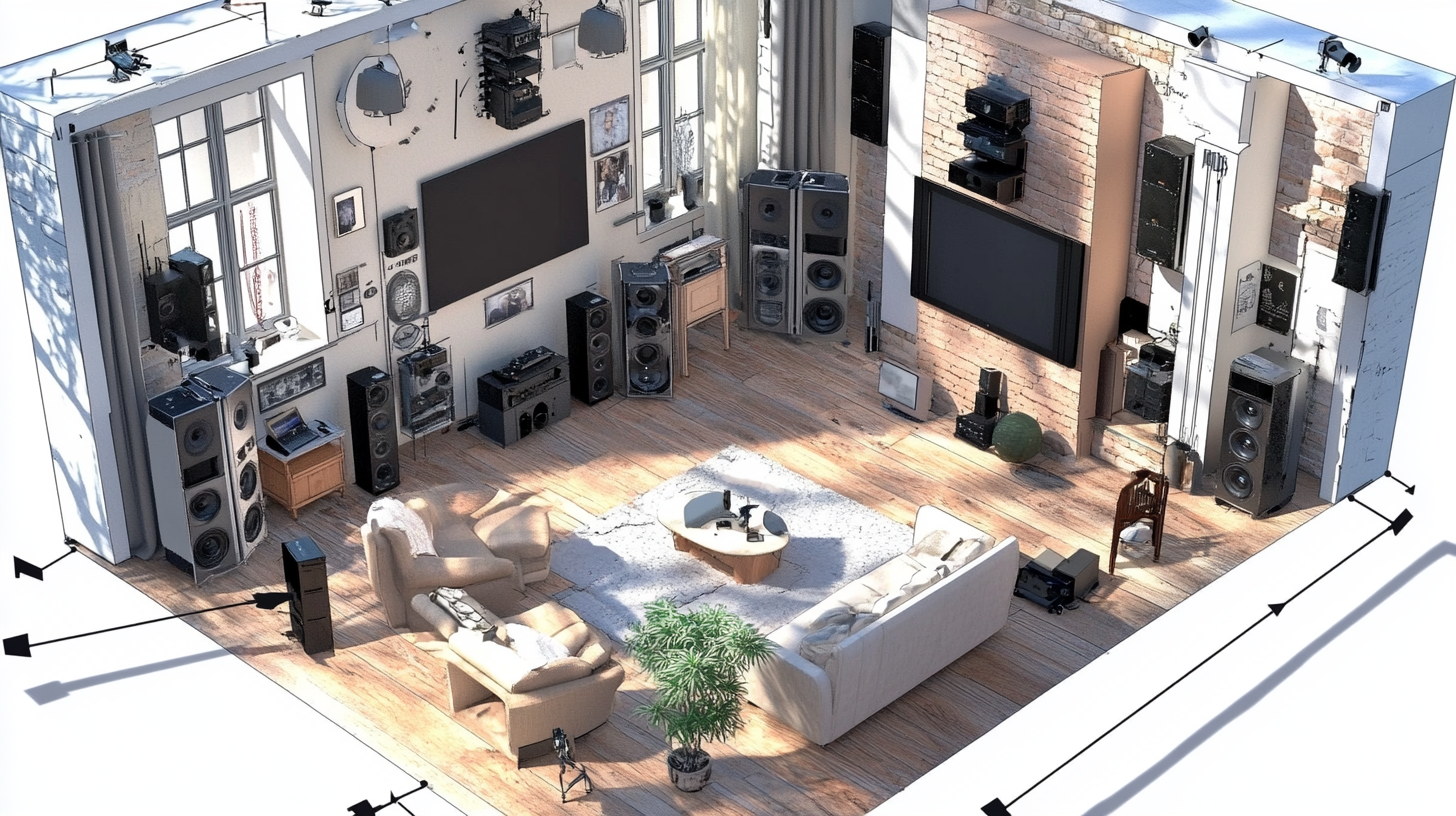
When setting up a home theater, the space you have plays a big role in deciding whether a 4K projector or a 1080p projector is the better choice. Not only do you need to think about the room’s size, but also how large of a screen you want and how far away you'll be sitting. Let’s go over some important factors to help you figure out what works best for your space.
Room Size Matters
First things first: think about the size of the room where you want to set up your projector. 4K projectors often perform best in larger rooms, especially if you plan to use a bigger screen. The extra detail of 4K resolution really stands out when projected onto a large surface, giving you that immersive cinema experience. If your room is spacious and you have enough distance between where you plan to sit and the screen, a 4K projector can shine.
However, if your space is small—like a bedroom or a compact living room—a 1080p projector might be more than enough. In smaller rooms, you’re typically closer to the screen, which means you won't need the extreme level of detail that 4K offers. 1080p still looks great, and the difference in resolution might not be as noticeable when you’re sitting close and the screen is not huge.
Throw Distance: How Far Does the Projector Need to Be?
Another thing to consider is the throw distance—how far back the projector needs to be from the screen to create the size of the image you want. Different projectors have different requirements:
Standard Throw Projectors: These need to be placed several feet away from the screen. If you have a medium to large room, both 1080p and 4K projectors can work well, as you’ll have enough space to position the projector where it needs to be.
Short Throw and Ultra Short Throw Projectors: If you don’t have much space to work with, consider a short throw or ultra short throw projector. These can be placed much closer to the screen and still give you a big picture, which is perfect for smaller rooms. Many 4K projectors come in short throw versions, which means you can still enjoy top-quality visuals even in a smaller area.
Screen Size: How Big Should It Be?
When choosing between 4K and 1080p, think about how big you want your screen to be. 4K projectors are great for larger screens, often 100 inches or more. The extra resolution ensures that, even on a very big screen, the image stays sharp, and you won’t see individual pixels. This is what gives 4K its "wow" factor, making it ideal if you want a real home cinema feel.
With a 1080p projector, you’ll still get a clear picture, but it works best on slightly smaller screens—typically around 80 to 100 inches. If you go too large with a 1080p projector, the picture might lose some sharpness, and you could start to see the pixels if you’re sitting close. For smaller rooms, where you’re not sitting too far from the screen, 1080p is a solid choice that can still provide an enjoyable experience without losing much quality.
Viewing Distance: Where Will You Sit?
The distance between where you sit and the screen also affects whether a 4K or 1080p projector is better for you. With 4K, you can sit closer to the screen and still see a crisp, clear image. This means you can enjoy more detail, and it’s great for smaller rooms where the seating might be close to the screen.
For 1080p, you may need to sit a bit further back to avoid noticing individual pixels. This isn’t necessarily a problem—it just means that 1080p works better if you have a little more distance between you and the screen. As a general rule, sitting about 1.5 to 2.5 times the width of the screen away will give you a good viewing experience with 1080p.
Ceiling Mount or Table Placement?
Another aspect to think about is where you’re going to place the projector. In a small room, you may want to ceiling mount the projector to save space and avoid clutter. This can work well with both 4K and 1080p projectors as long as you have the correct throw distance.
Alternatively, if you’re planning to place the projector on a table or shelf, make sure there’s enough room between the projector and the screen for it to produce the size of image you want. Ultra short throw projectors are a great choice here, especially for smaller spaces, because they can sit right in front of the screen and still provide a large, high-quality image.
Choosing Based on Your Space
To sum it up:
For Larger Rooms and Big Screens: If you have a large room and plan to use a big screen, a 4K projector is definitely worth considering. It gives you sharper detail, especially on screens 100 inches or bigger, and lets you sit closer without seeing any pixelation.
For Smaller Rooms and Moderate Screens: If your space is limited, or if you don’t plan on having a massive screen, a 1080p projector can be a great option. It’s more affordable and will still look impressive, especially if your screen is around 80 to 100 inches.
Short Throw for Tight Spaces: If your room setup makes it hard to place a projector far back, consider getting a short throw or ultra short throw projector. This way, you can enjoy a big image without needing much distance between the projector and the screen.
Final Thoughts on Space Considerations
Your choice between a 4K projector and a 1080p projector should take into account your room size, screen size, and viewing distance. 4K is fantastic for bigger spaces, where you want that extra level of detail, while 1080p still holds its own for smaller setups where the extreme sharpness of 4K might not be as noticeable.
Think about how much space you have, where you plan to place the projector, and how big you want your screen to be. Whether you have a small room or a large one, there’s a projector that can fit your needs and give you an amazing viewing experience.
Gaming: 4K Projector vs 1080p Projector for Gamers
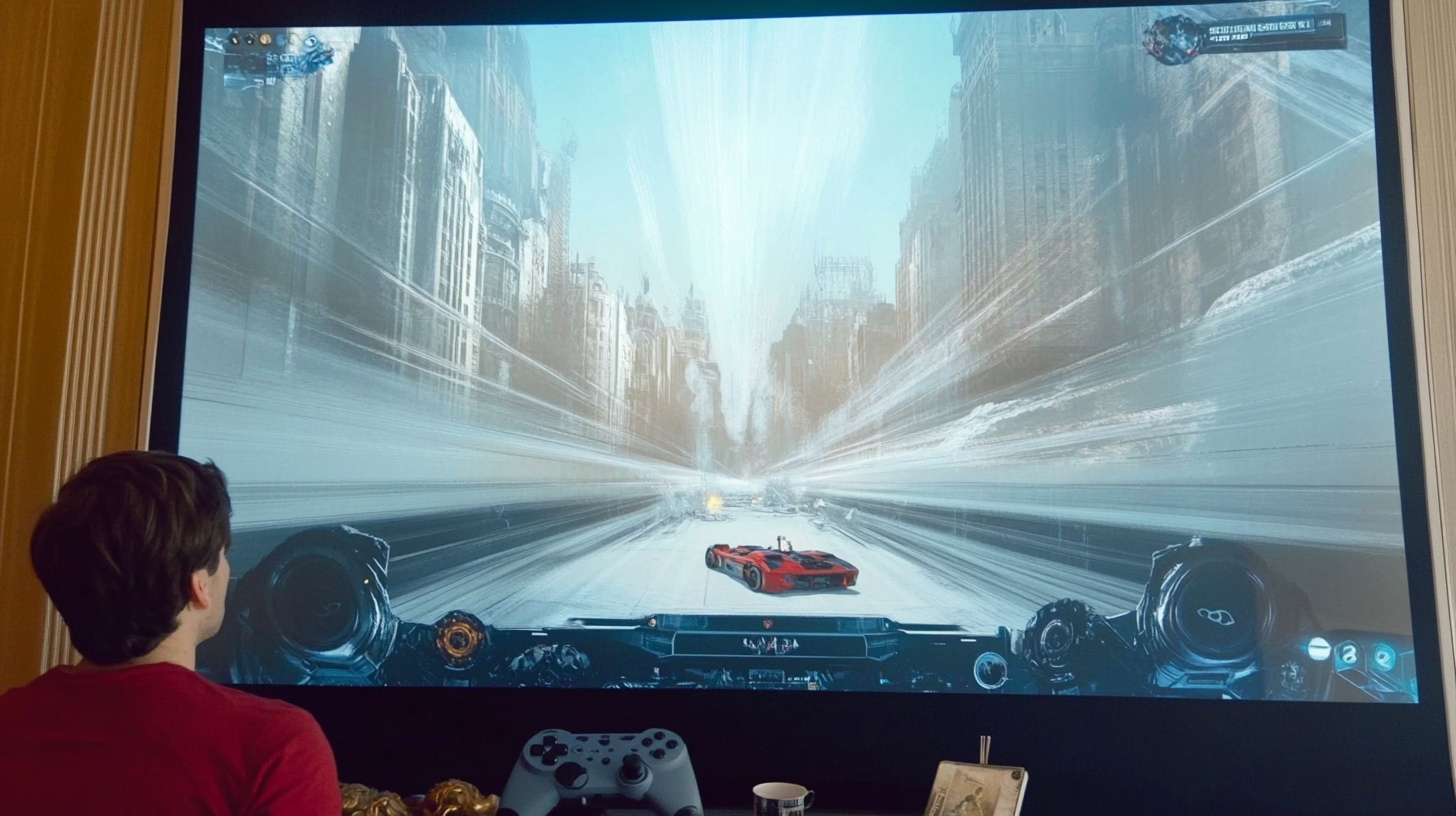
If you’re a gamer, choosing between a 4K projector and a 1080p projector can be tricky. Both options have their pros and cons when it comes to creating the best gaming experience. Let’s talk about what each type of projector offers and which one is more suitable for different types of gaming setups.
Resolution: The Power of 4K in Gaming
When it comes to sharpness and detail, 4K projectors are hard to beat. 4K resolution means more pixels, and more pixels mean a clearer, more detailed picture. If you play games with a lot of rich visuals, like open-world adventures or games that focus on beautiful graphics, a 4K projector will make a big difference. You’ll be able to see every detail, from the leaves on a tree to the small features on a character’s armor, making the game feel more immersive.
With 4K gaming consoles like the PS5 and Xbox Series X, or a powerful gaming PC, you can fully take advantage of 4K resolution. This makes your gaming world look closer to reality, which can make a huge difference in how engaging and thrilling your gaming sessions feel.
Input Lag: Why It Matters for Gamers
Input lag is the time it takes for your projector to display the action after you press a button on your controller. This is especially important for fast-paced games like first-person shooters, racing games, or fighting games where quick reactions are everything. If the input lag is too high, there will be a delay between your actions and what happens on-screen, which can be really frustrating.
1080p projectors often have lower input lag compared to many 4K projectors. This means if you’re into competitive gaming or need the fastest response times, a 1080p projector could be the better choice. You’ll experience smoother gameplay, with less delay, which can make a big difference in how well you perform in the game.
However, some newer 4K projectors are now designed specifically with gaming in mind, offering game modes that reduce input lag significantly. If you’re looking at a 4K projector, check the specifications for gaming features and input lag to make sure it’s suitable for the types of games you enjoy.
Frame Rate: Smooth Gameplay Experience
Another thing to think about is the frame rate. Games that run at a higher frame rate—like 60 frames per second (fps)or higher—look much smoother, which can improve the gaming experience. Most 4K projectors can handle these high frame rates, but it depends on both the projector and the console or PC you’re using.
1080p projectors often handle high frame rates better because they require less processing power compared to 4K. This can mean fewer stutters and a smoother experience, especially if you’re gaming on older hardware or playing fast-action games where every millisecond counts.
Cost Considerations for Gaming Setups
If you’re thinking about upgrading to a 4K projector for gaming, it’s also important to consider the cost. 4K projectorsare generally more expensive than 1080p projectors, and you’ll also need a gaming console or PC that supports 4K to get the most out of it. This might mean a bigger investment overall, but for some gamers, the stunning visuals make it worth every penny.
On the other hand, if you want a great gaming experience without breaking the bank, a 1080p projector is still an excellent choice. You get good visuals, lower input lag, and you don’t need the latest hardware to make it all work. This makes 1080p a solid option for more casual gamers or those who are just getting started.
Immersion and Screen Size: Which Is More Impactful?
A key advantage of gaming on a projector is the size of the screen. No matter whether it’s 4K or 1080p, playing on a big screen can make your games much more immersive. A 4K projector, though, shines particularly well on large screens because of the extra detail. If you have the room for a big screen and want your gaming world to feel as real as possible, 4K can enhance that experience significantly.
If your space is smaller or your budget is tighter, a 1080p projector will still give you the big-screen effect, but the detail won’t be quite as sharp as with 4K. However, the difference might not be as noticeable if you’re sitting at the right distance and playing games that don’t rely heavily on the finest details.
Choosing the Right Projector for Your Gaming Style
So, how do you decide between a 4K projector and a 1080p projector for gaming? It really depends on your gaming style:
For Visual Quality and Immersion: If you love exploring visually rich, open-world games, or if you enjoy story-driven titles with stunning graphics, a 4K projector is the best choice. The sharpness, color accuracy, and overall detail will make the game feel incredibly lifelike, especially on a large screen.
For Fast-Paced, Competitive Gaming: If you’re into games that need quick reflexes, like shooters or racing games, a 1080p projector might be better for you because of the lower input lag. You’ll get faster response times, which can give you an edge over the competition.
Balancing Quality and Budget: If you’re on a budget but still want a solid gaming experience, 1080p is an excellent option. You’ll still enjoy great visuals and the fun of playing on a big screen, without needing to spend extra on a 4K setup. Plus, the reduced input lag on most 1080p projectors means smoother gameplay overall.
Ultimately, the decision between a 4K projector and a 1080p projector for gaming comes down to what’s most important to you: the best visual quality or the fastest response time.
If you want the ultimate picture quality, 4K is worth the investment, especially if you already have or plan to get a 4K gaming console. The detail and immersion are unmatched, and it makes playing games feel like you’re stepping right into the action.
If you prioritize speed and responsiveness, especially for fast-paced games, or if you want a more budget-friendly option, 1080p is still a fantastic choice. You’ll get the performance you need without the higher cost, and you’ll still enjoy gaming on the big screen.
Either way, both 4K and 1080p projectors can turn your gaming setup into an incredible experience that regular TVs simply can’t match. It’s all about finding what works best for your style and budget.
Pros and Cons: A Quick Comparison Table
| Feature | 4K Projector | 1080p Projector |
|---|---|---|
| Picture Quality | Exceptional, with sharp details and more clarity. Ideal for large screens. | Very good quality but lacks the sharpness of 4K, especially on larger screens. Best for moderate sizes. |
| Color and Contrast | Includes HDR, providing richer colors and deeper contrast, enhancing the viewing experience. | No HDR support, resulting in less vivid colors and lower contrast. Suitable for general use. |
| Cost | More expensive due to higher resolution and advanced features. | More budget-friendly, offering good quality without a high price tag. |
| Room Suitability | Best for larger rooms where the extra detail is more noticeable. | Ideal for smaller rooms where high resolution isn’t as crucial. Works well with compact setups. |
| Input Lag (For Gaming) | Some models have low input lag, but generally higher than 1080p. Check for specific gaming features. | Generally lower input lag, making it a better option for fast-paced, competitive gaming. |
| Internet Speed Requirement | Requires a fast, stable connection (25 Mbps or more) for smooth 4K streaming. | Needs less bandwidth, making 1080p streamingeasier with slower connections. |
| Future-Proofing | More future-proof as more content is shifting to 4K; great for newer content. | May feel outdated as more content moves to 4K, though still suitable for existing media. |
| Immersion and Screen Size | Performs exceptionally well on large screens, providing a truly immersive experience. | Works best on screens around 80-100 inches; may lose sharpness when scaled to larger sizes. |
| Affordability | Higher cost, more suited to those willing to invest for top-tier visuals. | Affordable, making it a great entry point for a home theater setup without overspending. |
Which One Should You Choose?
Now that we've looked at all the details about 4K projectors and 1080p projectors, you might still be wondering: which one is the right choice for you? Let’s make it simple by thinking about your needs, preferences, and the kind of experience you want from your home theater.
Choose a 4K Projector If:
-
You Want the Best Picture Quality:
-
If having a super-sharp picture with lots of detail is important to you, then a 4K projector is worth the investment. You'll be able to see every fine detail, like the individual leaves in a forest scene or the tiny features in a character's face. This makes movies, shows, and games feel more lifelike and immersive.
-
You Have a Large Screen or Room:
- 4K projectors really shine when used with large screens, typically over 100 inches. If you have the space for a big screen and plan to sit relatively close to it, the extra detail from 4K will make a noticeable difference. It will make your home theater feel more like a real movie theater.
-
You Want to Be Future-Ready:
- More and more content is being produced in 4K, and streaming services like Netflix and Disney+ are offering a lot of their shows and movies in this higher resolution. If you want to be prepared for the future of streaming and enjoy the latest technology, a 4K projector is a great choice that will last you for many years to come.
-
You Enjoy Stunning Visuals in Games:
- If you have a PS5, an Xbox Series X, or a powerful gaming PC, a 4K projector can provide amazing graphics, making your games look incredibly realistic. This can make open-world games and those with beautiful environments feel more engaging.
Choose a 1080p Projector If:
-
You’re on a Budget:
- 1080p projectors are much more affordable compared to 4K. If you want a big-screen experience without spending too much, 1080p gives you excellent value. You can get a good-quality picture and a solid home theater experience at a much lower cost.
-
You Have a Smaller Room:
- If your room is on the smaller side, you might not notice the difference between 4K and 1080p as much. A 1080p projector can still give you a clear and enjoyable picture, especially when you're sitting closer to the screen. It works well with screens up to about 80-100 inches, making it ideal for compact setups.
-
You Want Low Input Lag for Gaming:
- For those who love gaming, especially fast-paced, competitive games like shooters or racing titles, a 1080p projector might be better. They generally have lower input lag, which means faster response times and smoother gameplay. If speed is your priority, 1080p will help you perform at your best without any delays.
-
You’re Happy with Full HD Quality:
- Not everyone needs the highest resolution. If you’re satisfied with a great picture that’s sharp and clear, 1080p is still a solid option. It’s perfect for watching TV shows, older movies, and general streaming, especially if you don’t need all the tiny details that 4K provides.
Balancing Your Priorities
Choosing between a 4K projector and a 1080p projector comes down to your own preferences and what matters most to you:
-
Do you want the ultimate visual experience? If you love crisp details, rich colors, and the feeling of being in a real cinema, and if you have the space and budget, then 4K is the right choice.
-
Do you want something that fits your budget and still looks great? If you’re not looking for the absolute best but want a fantastic viewing experience for less money, then 1080p is an excellent option.
Think about what kind of content you watch most often. If you enjoy watching the latest blockbuster movies, exploring the details in high-quality video games, or simply want the best of the best, 4K will give you what you're looking for. On the other hand, if you mostly watch TV, family movies, or older films, 1080p will still provide a great picture without costing as much.
Which One Fits Your Lifestyle?
In the end, the choice is all about what suits your lifestyle and setup. 4K projectors offer the best resolution, ideal for those who want to create a top-tier home theater with a big screen and immersive visuals. 1080p projectors, however, are more affordable and easier to set up for smaller spaces, providing excellent quality for everyday use without the higher cost.
No matter which one you choose, both 4K and 1080p projectors will give you the thrill of a big screen in your home, making movie nights, gaming sessions, and family gatherings much more enjoyable. Choose the one that fits your space, budget, and viewing habits best, and get ready to enjoy a truly amazing home theater experience!
Frequently Asked Questions (FAQs)
If you’re still unsure about some details regarding 4K and 1080p projectors, you’re not alone. Below are some frequently asked questions to help you make the right choice for your home theater.
Is a 4K Projector Really Worth the Extra Money?
It depends on what you want out of your home theater. If you love stunning visuals, lots of detail, and want the best experience for movies and gaming, then yes, a 4K projector is worth it. It offers incredible clarity and color quality, which is perfect for larger screens and more immersive viewing. However, if you’re happy with a good-quality picture and want to save some money, a 1080p projector can still give you a fantastic experience without the high price tag.
Can You See the Difference Between 4K and 1080p on a Smaller Screen?
On a smaller screen, the difference between 4K and 1080p might not be as noticeable. If you’re planning to use a screen that’s around 80-100 inches and you’re sitting a bit farther away, 1080p can still look great. However, on larger screens or if you sit closer, 4K offers more sharpness and detail, which is where the extra resolution really shines.
What Kind of Internet Speed Do I Need to Stream in 4K?
To stream in 4K, you generally need a fast and stable internet connection, ideally at least 25 Mbps or higher. 4K contenttakes up more bandwidth because of the higher resolution, which means slower connections might struggle and cause buffering. If you have a reliable, fast connection, streaming 4K will be a smooth experience. If your internet is slower, 1080p is more manageable and doesn’t require as much speed.
Do I Need Special Cables for a 4K Projector?
Yes, you will need High-Speed HDMI cables that support 4K to get the most out of your 4K projector. These cables allow you to transfer more data, which is needed for the higher resolution and features like HDR. Fortunately, these cables are widely available and not too expensive. If you’re using a 1080p projector, standard HDMI cables are sufficient.
Is a 4K Projector Good for Gaming?
A 4K projector can be amazing for gaming, especially if you have a console like the PS5 or Xbox Series X. The visuals are sharp, and the colors are rich, which makes the game world feel more immersive. However, one thing to watch out for is input lag—some 4K projectors have higher input lag, which can cause delays between pressing a button and seeing the action on screen. If you play fast-paced, competitive games, check for a gaming mode that reduces input lag.
How Long Do Projector Bulbs Last?
The bulb life depends on the type of projector and how you use it. Most projector lamps last between 3,000 to 5,000 hours in standard mode, but in eco mode, they can last longer—sometimes up to 10,000 to 15,000 hours. LED projectors and laser projectors generally have longer lifespans, often 20,000 hours or more. For both 4K and 1080p projectors, using eco settings can help extend the life of your bulb, saving you money in the long run.
Do I Need a Special Screen for My Projector?
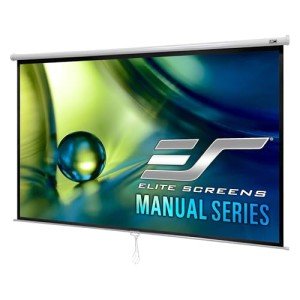
120-Inch 4K Ultra HD Manual Projector Screen
Transform your viewing experience with vibrant colors and stunning clarity for movies, games, and presentations
Product information
$398.20 $155.99
Product Review Score
4.56 out of 5 stars
21 reviewsProduct links
While you can project onto a plain white wall, using a projector screen will give you the best results. A screen is designed to reflect light better, which makes the picture brighter and sharper. If you’re spending extra on a 4K projector, investing in a good screen will help you get the most out of it. For 1080p projectors, a screen will still improve the picture, but it’s not as crucial if you’re working with a tighter budget.
Can I Use a Projector in a Bright Room?
Both 4K and 1080p projectors work best in darker environments. However, some projectors have higher brightness (measured in lumens), which makes them better suited for use in rooms with some natural light. If your room gets a lot of sunlight and you can’t control it with curtains, look for a projector with at least 2,500 to 3,000 lumens or higher. This will help keep the image visible even during the day.
IIs it Easy to Set Up a Projector at Home?
Yes, setting up a projector at home is quite straightforward. You need to consider where you’ll place the projector, whether it’s ceiling-mounted or on a table, and make sure it’s at the right distance from your screen to get the size of the picture you want. 4K projectors often require more precise positioning due to their higher resolution, but many models come with features like lens shift and keystone correction to make adjustments easier.
Do I Need External Speakers for My Projector?
$899.00
$585.00
4.77 out of 5 stars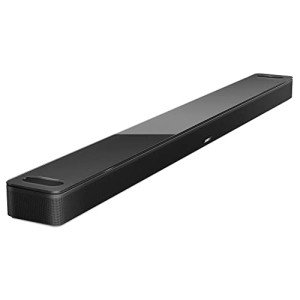
Bose Smart Soundbar 900 with Dolby Atmos
Experience immersive audio that brings your movies and music to life with the Bose Smart Soundbar 900 featuring Dolby Atmos technology
Product information
Product Review Score
Product links
Most projectors, whether 4K or 1080p, come with built-in speakers, but the sound quality is often basic. For a true home theater experience, it’s a good idea to add a soundbar or external speakers. This will provide much richer audio, making movies and games far more enjoyable. If you’re investing in a 4K projector, high-quality sound will help complete the immersive experience.
Now that you’ve got all the information you need about 4K and 1080p projectors, it's time to make your dream home theater a reality! Whether you're ready to enjoy the amazing detail of 4K or want the fantastic value of 1080p, the next step is up to you.
Take some time to think about what you really want: Are you ready to experience movies and games in breathtaking detail with a 4K projector? Or do you want the best value while still getting an impressive big-screen experience with 1080p? Whichever one fits your needs, now is the perfect time to dive in.
If you’re still not sure, think about your room size, your budget, and what you love watching or playing the most. You can always reach out to experts at your local electronics store for advice or even check out some reviews online to see what other people love about their projectors.
Ready to make a choice? Head over to your favorite store or online retailer and start shopping! If you’ve got a specific model in mind, compare prices and look for deals. Sometimes, a great sale can help you get even more than you expected for your budget.
If you have any questions, don’t hesitate to ask! Join the conversation by leaving a comment below or sharing your thoughts and experiences. Have you used a 4K projector before, or are you loving your 1080p setup? We’d love to hear from you!
Don’t forget to share this guide with your friends or family who might be looking for a home theater upgrade too. Creating a home theater is all about enjoying time together, whether it’s a movie night, a big game, or just binge-watching a favorite series.